0 2 Black History Mobile Apps and Google
- Black History
- by Kingsley H. Smith
- 09/18/2026
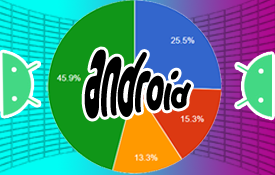
August through October is a busy season for mobile app developers and their various program updates, especially for Android. According to App Brain and other sources, 15 Android versions split the global pie on phones and tablets.
As of this writing, September, 2026, 3 Android versions are being used the most. I list these three platform versions followed by the application programming interface version (API) name:
- Android 14 - API 34
- Android 15 - API 35
- Android 16 - API 36
The chart breaks down the top three, and all of the others lumped together in green. Remember that this cumulative distribution changes daily. Some countries, for example India, are sticking with Android 15 for about 40% of their users.
LOADING...
Tap on a wedge for more details.
What version do you have? On your device, go to Settings > About Phone (Tablet) to find out.
Edge to Edge Karma
I won't go into too much technical jargon, but as of Android 16/36, a developer's screen page in an app must take up the complete height of the screen. We call this E2E, or edge to edge. The Android system toolbars (top and bottom of screen) are overlaid over the developer's screens.
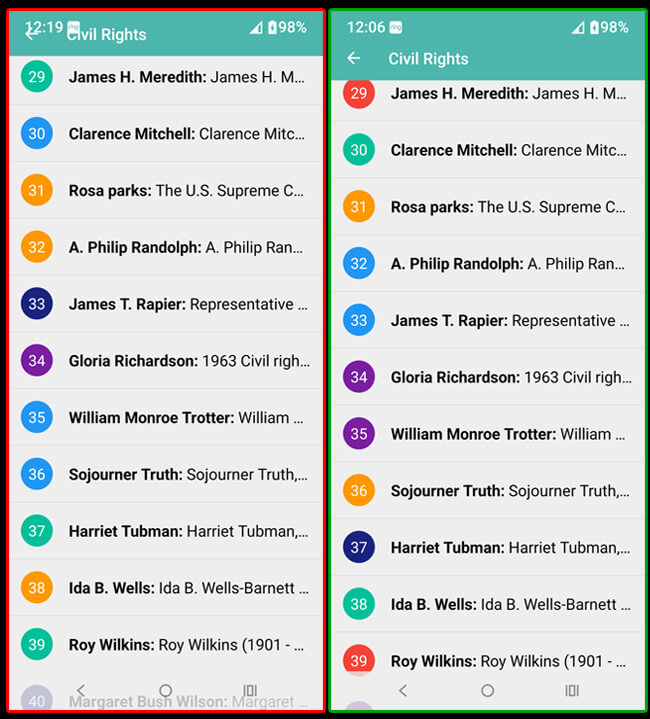
Many Android 16 early adopters noted this issue when sampling some of our apps. In these screen shots from a scrolling list, here is Black History Express below on Android 16 (left in red highlight), and the same app in Android 16 (right in green highlight) after making the E2E adjustments.
Notice how we lowered our navigation arrow and the title "Civil Rights" to below the Android system information that was overlaid.
Similar changes were recently made to improve the layout of Black History Quotes Express.
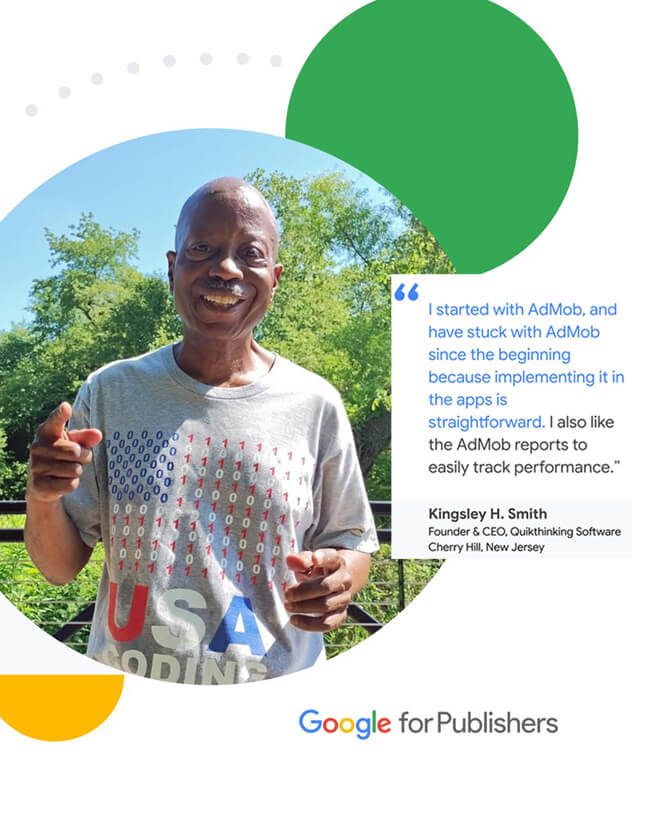
Google For Publishers with Kingsley H. Smith
In mid-June, I was approached and interviewed by Google for the 2nd time in the past two years. This time it was for Google for Publishers. You can see the recently published article (September 2026) on the Google for Publishers website by touching the image below.